FOR NPs IN PRIMARY CARE
The Inbox Is Following You Home. Close It Inside Your Scheduled Business Hours.
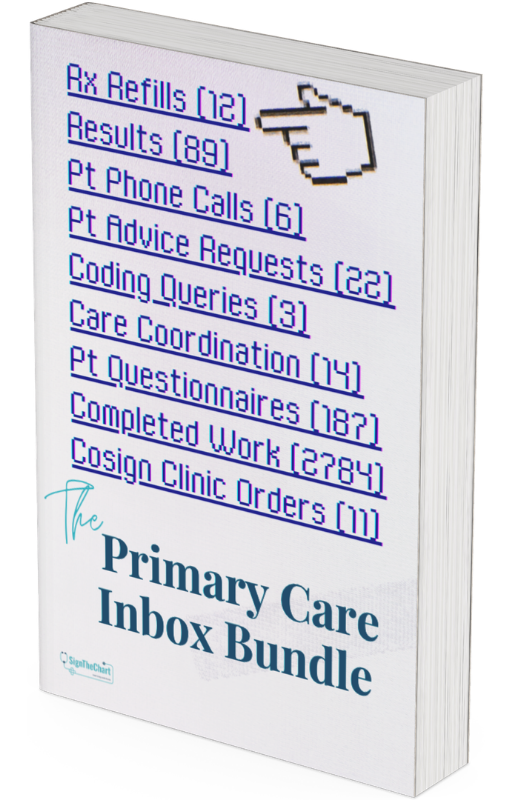
The EHR inbox is not a productivity problem. It is a structural pile of clinical work that arrives faster than your scheduled hours can absorb it, in categories your training did not teach you to triage. The Primary Care Inbox Bundle is the framework, the workflow, and the response language that closes the inbox before you walk out the door.

The Primary Care Inbox Has Become the Second Shift No One Scheduled You For.
You opened the inbox at 4:55 PM with five minutes before your shift ended. You closed your laptop at 7:30 PM. Again. The patient who needed a same-day call back is still sitting in the queue. The refill request you started writing from scratch is still in drafts. The HIE notification you've seen seventeen times this week is still there, because deleting it always feels like one more decision than you have left.
You have been told this is a time management problem. You follow the social media pages that talk about time management for NPs. You set up the dot phrases. You blocked the calendar. The inbox kept growing because the inbox was never a time management problem. It is a structural problem: you are absorbing the cognitive labor of an entire workflow that should have been distributed across multiple roles, in a tool that defaults to dumping every kind of request into one queue.
What you need is not better discipline. What you need is a clinical decision framework for what gets answered, scheduled, delegated, or deleted, a workflow that processes the inbox in scheduled batches instead of in the gaps between patients, and the response language that handles the 51 most common patient portal scenarios without writing each one from scratch.
The Triage Protocol
A clinical decision framework for the primary care EHR inbox. Every message gets one decision, made once, applied in seconds. Stop reopening the same message six times because you were not sure what to do with it the first time.
The Batching System
A workflow for processing the EHR inbox inside scheduled business hours, with the staff and patient conversations that hold the workflow in place over time. The inbox gets worked when you sit down to work it, then closed.
The Message Master Kit
51 patient-facing portal templates covering the highest-volume scenarios in primary care, including the difficult conversations that take twenty minutes to write the first time and three seconds to send the next time.

A System That Closes the Inbox, Not One That Tells You to Try Harder.
The bundle gives you everything you need to take the EHR inbox from "open at all hours" to "closed inside scheduled business hours," without rebuilding your whole practice.
-
Decide what to do with any inbox message in under 60 seconds. A clinical decision framework built specifically for the EHR inbox, so you stop spending real cognitive effort on items that should take seconds.
-
Process the inbox in scheduled batches, not in the gaps between patients. A workflow that gives the inbox a beginning, a middle, and an end inside your paid hours, with the staff and patient conversations that hold the workflow in place over time.
-
Stop writing the same portal response from scratch. 51 patient-facing templates for the highest-volume scenarios in primary care, customizable so you can swap in patient name, finding, and follow-up plan in seconds.
-
Stop being the inbox of last resort. Paper delegation tools and the staff-routing conversations that teach the people around you what your inbox should and should not contain.
Close the Primary Care EHR Inbox Inside Scheduled Business Hours.
Three documents. One bundle. One payment. Yours to keep.
A Look Inside the Bundle.
Each document is built for a specific job. The Triage Protocol is the decision logic. The Batching System is the workflow. The Message Master Kit is the response language. Together they cover the three places the inbox actually breaks: deciding, doing, and replying.

The inbox runs in three layers and breaks at all three. There is a decision layer (what does this message need from me) that fails when every message gets treated like a clinical question. There is a workflow layer (when do I do this work) that fails when the inbox bleeds into every margin of the day. And there is a response layer (what do I actually say) that fails when every reply is written from scratch. The bundle has one tool for each layer. Here is what is inside.
Unlock the Essentials: What You Get Inside!
The Clinical Decision Framework
A four-decision triage system for every message in the inbox. Open a message, identify which decision it requires, complete that decision once, close the message. The framework names what you are doing so you stop reopening the same items wondering what you decided last time.
51 Patient Portal Templates
Customizable, ready to install as dot phrases in your EHR. Organized across seven categories that cover the most common scenarios in primary care, from lab results to the difficult conversations that take twenty minutes to write the first time.
The Batching Workflow
A schedule for processing the inbox inside defined windows during clinic days and administrative time, with rules for what enters each window and what does not. The inbox gets worked when you sit down to work it, then closed.
The Script and Paper Library
The staff and patient conversations that hold the workflow in place over time, plus the paper delegation tools for the items that do not live in the EHR. Designed to be sent the same way every time so the routing convention becomes consistent.

This is for You, If...
-
You are a nurse practitioner in primary care or family medicine, and the EHR inbox is following you home after your scheduled hours have ended.
-
You have read the productivity books, set up SmartPhrases, and blocked time on your calendar, and the inbox kept growing anyway, because none of those tools were built for the kind of work the inbox holds.
-
You are charting at night, answering portal messages on the weekend, or opening the inbox the moment you wake up, and you are starting to wonder whether this is the job or whether this is how the job has been allowed to expand.
-
You want a clinical framework for inbox triage, not a generic productivity system, because the inbox is full of clinical decisions, not tasks.
-
You want patient response language that holds the line on what gets answered in the portal and what gets scheduled as a visit, written in a voice that is professional, clear, and not apologetic.
This is not for You, If...
-
You are not a medical provider (NP, PA, MD, or DO), or you are in a specialty where the EHR inbox is not the dominant source of after-hours work. This bundle is built for primary care.
-
You are looking for a dot phrase library only, with no triage framework or workflow. The templates are included, but they are not the system. The system is what makes them work.
-
You are looking for a quick productivity hack. The bundle is a workflow change. It works because the framework is correct, not because it is fast.
-
You believe the inbox problem will resolve itself when the right staffing or the right administrator or the right EHR upgrade arrives. The bundle is for clinicians who have decided to address the inbox themselves, inside the system as it currently exists.
-
You expect a paid product to also act as ongoing email support, weekly group calls, or one-on-one coaching. The bundle is a self-paced toolkit. The coaching version of this work lives inside Chart Smart Mastery.
-
You expect this bundle to give you legal, billing, or HR cover for declining inbox work. It will not. What it will give you is a defensible workflow that puts the right work in the right place, and the response language that keeps it there.

Open the Bundle
Each product is a self-contained PDF, designed to work standalone and built to work better together.

COMPONENT #1
The Inbox Triage Protocol
The decision logic for the EHR inbox. The Triage Protocol answers a single question over and over: when this message lands in your inbox, what does it actually require from you?
Most inbox advice fails because it answers this question generically. Triage in primary care is not generic. It is clinical. Some messages require your judgment in the next hour. Some require your judgment in the next batch window. Some require someone else's judgment entirely. Some require no judgment at all, only a click. The Triage Protocol is the framework that names the difference and gives you a defensible answer for every message, every time.
Inside the Protocol you will find the decision framework itself, a reference for how to apply it to the highest-volume categories in a primary care EHR inbox, scripts for the staff conversations that hold the framework in place over time, and the paper-side tools for the items that do not live in the EHR. A quick reference card is included so the core logic sits on the wall next to your workstation.
COMPONENT #2
The Inbox Batching System
The workflow that processes the inbox inside scheduled business hours.
The Triage Protocol tells you what to do with each message. The Batching System tells you when. It is the answer to the question "if I am working the inbox right now, what am I supposed to be doing and for how long," and it works because it treats inbox time as scheduled clinical labor rather than a residual activity that fills whatever time is left over.
Inside the System you will find the structure of the workflow itself, the rules for what enters each part of the workflow and what does not, the scripts for the boundary conversations with staff and patients that protect the workflow over time, and the design principles that explain why each piece is shaped the way it is. The system is built to hold up through high-volume days, post-vacation re-entry, and the slow drift that erodes workflows that were never explicit to begin with.


COMPONENT #3
The Primary Care Inbox Message Master Kit
51 patient-facing portal templates for the highest-volume scenarios in primary care.
The Triage Protocol tells you what each message requires. The Batching System tells you when to handle it. The Message Master Kit gives you the language for the ones that do require your reply. Every template is customizable so you can swap in patient name, finding, and follow-up plan in seconds. Every template is paired with notes that tell you when to use it and when not to use it, and a suggested dot phrase name so the kit installs into your EHR cleanly.
The templates cover the scope of what arrives in a primary care inbox: results, follow-ups, symptom inquiries, post-visit recaps, requests that require a visit, redirects to other departments, and the difficult conversations that take twenty minutes to write the first time and three seconds to send the next time.
READY WHEN YOU ARE
The Primary Care Inbox Bundle
The bundle is sent to your email as a downloadable zip file the moment your purchase is complete. No waiting, no shipping, no installation. Download, open, and start using it tonight.
The Bundle
Made for NPs in primary care and family medicine
-
The Inbox Triage Protocol
The clinical decision framework that tells you what to do with every inbox message in seconds
-
The Inbox Batching System
The workflow that processes the inbox inside scheduled business hours
-
51 Patient Portal Templates
Customizable and ready to install as SmartPhrases in your EHR
$147
One-time payment.

Delivered Instantly
The bundle is sent to your email as a downloadable zip file the moment your purchase is complete. No waiting, no shipping, no installation. Download, open, and start using it tonight.

Questions Before You Buy
The bundle is a final-sale digital product. If you are unsure whether it fits your practice, the FAQ below covers the most common questions. For anything else, email support@SignTheChart.com before purchase and we will help you decide.

About the Author
Candice Elam, DNP, FNP-C
Founder of SignTheChart
I am a family nurse practitioner working in a federally qualified health center (FQHC). I see patients full-time, precept NP residents and students, and use Epic every day. The framework in this bundle came out of years of clinical practice with the EHR inbox as part of the job. Nothing in this bundle is theoretical.
I founded SignTheChart because the structural problems that make the primary care NP role unsustainable, including the inbox, are not going to be solved by healthcare systems or EHR vendors on a timeline that helps the NPs currently in the role. The people inside the role have to build the tools, and the tools have to work inside the systems as they currently exist. That is what SignTheChart does.
The triage framework in this bundle is the one I use. The batch windows are the ones I keep. The templates are the ones I send. If you have read my work at KevinMD or the SignTheChart Blog on the patient portal and after-hours EHR labor, this bundle is what those articles look like when you put the tools in front of the argument.
Frequently Asked Questions
The questions below cover what NPs ask before they buy the bundle. If your question isn't here, email support@SignTheChart.com before you purchase and we'll help you decide whether the bundle fits your practice.
What format are the documents in, and how is the bundle delivered?
The bundle is three PDFs delivered as a downloadable zip file the moment your purchase is complete. You can open the documents on any device, print them, annotate them, copy text into your EHR as SmartPhrases, or keep them as reference. The files are yours to keep.
Do I have to use Epic for this to work?
No. The bundle uses Epic terminology in a few places because Epic is the dominant primary care EHR, but the framework underneath is EHR-agnostic. If your EHR has a patient portal, an internal message queue, and the ability to delegate to staff, the bundle works. If you use Cerner, Athena, eClinicalWorks, or any other major EHR, the categories map directly.
Will this work if my staffing is limited?
Yes. I have never worked in a clinic that was fully staffed. I built this methodology under conditions where understaffing is the default, by learning to communicate clearly and collegially with the few staff members on hand and by building rapport, trust, and respect that lets the work get done inside business hours. These tools and workflows hold because they respect the finiteness of staff members' time. Delegation happens with precision so that people's roles, efforts, and time are not wasted on redundant steps and busy work.
Is this CE-eligible?
No. The bundle is a workflow toolkit, not an educational course. There is no CE credit, no test, no module unlock, and no pass-or-fail. Buy it, download it, use it.
I do not have time to read three more documents. How long does it take to start using this?
The bundle is not an instant fix, and implementing it takes time, practice, and iteration. You will read the documents, apply the framework to your own inbox, and adjust what does not fit your clinic. That is real work.
It is also work that pays back. The current arrangement is hours of off-the-clock inbox labor every week, indefinitely. The bundle trades that recurring cost for an upfront investment in a workflow that holds. The choice is between continuing to do something you already know does not work, and investing time once in a fix that pays you back every week from now on.
What if my staff or colleagues do not want to change how they work with my inbox?
The bundle does not require you to change anyone else's workflow. The triage decisions are yours. The batch windows are yours. The patient message templates are yours to send. The staff delegation scripts are tools you use when you choose to use them. They are written to be sent without escalating tension, and they work by being consistent, not by being adopted clinic-wide. Most NPs see the largest shift in their own inbox first, with staff routing patterns following over weeks.
I work in a specialty, not primary care. Will the bundle help?
The principles in this bundle are universal. Triaging by clinical urgency, batching the work into scheduled windows, and using templates to communicate with patients and colleagues are not primary-care-specific. The application is. The category names, the message templates, and the staff scripts are written for primary care, and specialty NPs will need to adapt the specifics to their own workflows. The principles transfer cleanly. The execution is where you make it your own.
Can I get a refund?
No. The bundle is a digital product, delivered immediately at the moment of purchase, and all sales are final once the file is downloaded. This is one of the reasons the FAQ exists. If you are unsure whether the bundle fits your practice, the "This Is for You, If…" and "This Is Not for You, If…" sections higher on this page describe the fit honestly. For anything those sections do not cover, email support@SignTheChart.com before you purchase. We will help you decide.
CHECKOUT
Get the Bundle
Below is what your order includes.
-
The Inbox Triage Protocol. A clinical decision framework that tells you what to do with every inbox message in seconds.
-
The Inbox Batching System. A workflow that gives the inbox a beginning, middle, and end inside your scheduled hours.
-
51 Patient Portal Templates. Customizable and ready to install as SmartPhrases in your EHR. Covering the highest-volume scenarios in primary care.
-
Lifetime Access. One payment, no recurring fees, no expiration. Download the PDFs the moment your purchase is complete.
Secure Order
256-bit SSL encryption. Your payment information is encrypted and processed securely.
Questions Before You Buy
This is a final-sale digital product. If you are not sure whether the bundle fits your practice, see the FAQ on this page or email support@SignTheChart.com before you purchase.
SignTheChart
7915 Bergenline Avenue, Suite 9006
North Bergen, NJ 07047
Support@SignTheChart.com
©2026 Copyright by SignTheChart. All Rights Reserved.